
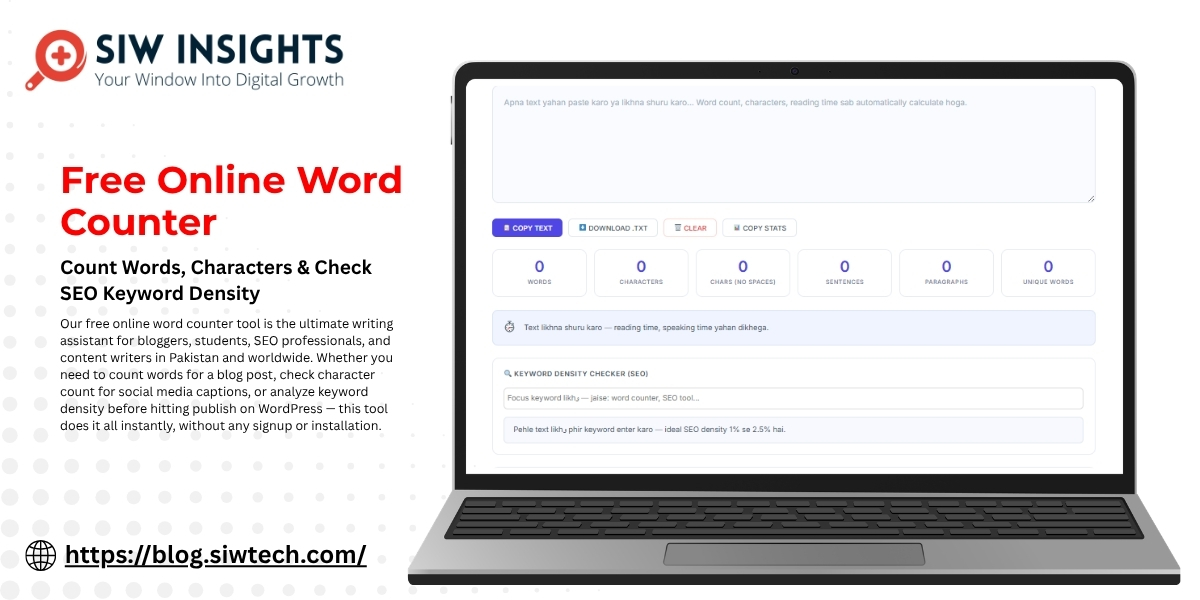
Free Online Word Counter — Count Words, Characters & Check SEO Keyword Density
Our free online word counter tool is the ultimate writing assistant for bloggers, students, SEO professionals, and content writers in Pakistan and worldwide. Whether you need to count words for a blog post, check character count for social media captions, or analyze keyword density before hitting publish on WordPress — this tool does it all instantly, without any signup or installation.
After checking your word count, also optimize your page URL using our free URL slug generator for better search rankings
Unlike basic word count checkers, our SEO-powered tool gives you a complete writing analysis including reading time calculator, sentence count, paragraph count, and a built-in keyword density checker that helps you hit the perfect 1%–2.5% SEO sweet spot recommended by Yoast SEO and followed by top-ranking content worldwide.
For a dedicated keyword density checker with LSI keyword support, try our standalone tool
How to Use This Free Word Counter Tool
Using our online word counter is extremely simple. There is no signup, no download, and no installation required. Here is how to get started:
Click Copy Stats to save your analysis, or download your text as a .txt file
Paste or type your text in the editor box above — your word count and character count update in real time
View your complete writing stats: words, characters, character count without spaces, sentences, paragraphs, and unique words
Check your reading time — calculated at the average reading speed of 238 words per minute
Enter your focus keyword in the keyword density checker to instantly see your SEO density percentage
Use the SEO Writing Checklist for real-time tips on word count, sentence length, and vocabulary richness

Why Word Count Matters for SEO in 2026
If you are serious about ranking on Google, word count is one of the most important on-page SEO factors you cannot ignore. Content length directly impacts your search engine optimization performance because longer, comprehensive content tends to rank higher — it covers a topic more thoroughly, earns more backlinks, and keeps readers on the page longer.
Multiple SEO studies consistently show that blog posts between 1,500 to 2,500 words rank on Google’s first page for competitive keywords. For informational queries and how-to guides, even 1,000 words is enough to rank if the content is well-structured and optimized. You can verify your content’s indexing and ranking performance directly in Google Search Console — a free tool that shows exactly how your pages appear in search results.
For Pakistani SEO professionals and bloggers using Yoast SEO plugin on WordPress, our word counter online helps you hit the recommended content length and maintain healthy keyword density before you publish — so you get that Yoast green bullet every time.

What Does This Word Counter Tool Measure?
Our free word counter online is more than a basic word count checker. Here is every metric you get instantly:
- Word Count — Total words in your text. Essential for blog posts, essays, and SEO content writing. Yoast recommends minimum 300 words for cornerstone content.
- Character Count — Total characters including spaces. Useful for Twitter (280 chars), LinkedIn posts, and Google Ads copy.
- Character Count Without Spaces — Pure character count used for academic submissions and specific content platforms.
- Sentence Count — Total sentences. Helps you monitor readability — shorter sentences rank and read better.
- Paragraph Count — How many paragraphs your content has. Short paragraphs (3–5 sentences) improve user experience and reduce bounce rate.
- Unique Words — Vocabulary richness score. Google rewards content with diverse vocabulary as a content quality signal.
- Reading Time Calculator — Estimated reading time at 238 words per minute average. Helps you set reader expectations and improve dwell time.
- Keyword Density Checker — Percentage of how often your focus keyword appears. Ideal SEO range is 1%–2.5% as per Yoast SEO guidelines.

Who Should Use This Word Counter?
This online word counter tool is built for everyone who works with text:
- SEO Content Writers — Track word count and keyword density before publishing to avoid over-optimization penalties
- WordPress Bloggers — Meet Yoast SEO plugin’s content length and keyword density recommendations for green bullet scores
- Students — Check essay and assignment word limits for university and school submissions
- Social Media Managers — Stay within character count limits for Twitter, LinkedIn, Instagram bios, and Google Ads
- Freelance Writers — Verify deliverable word counts for clients before submission
- Digital Marketing Professionals in Pakistan — Optimize Urdu and English content for better Google rankings and track performance in Google Analytics
Keyword Density: The SEO Sweet Spot Explained
Keyword density is the percentage of times your target keyword appears in your content compared to the total word count. For example, if your blog post is 1,000 words and your focus keyword appears 15 times, your keyword density is 1.5% — which falls perfectly in the ideal SEO range.
According to Yoast SEO’s official keyword density guidelines, the sweet spot for most content is 1% to 2.5%. Going below 1% means your content is under-optimized and may not rank well for that keyword. Going above 2.5% risks being flagged as keyword stuffing — which can result in Google penalties and lower rankings.
Our built-in keyword density checker shows you exactly where you stand with a live progress bar, so you never have to guess. Simply enter your focus keyword, and the tool gives you an instant SEO density reading with color-coded feedback — green means you are in the perfect zone, yellow means adjust slightly, and red means take immediate action.
After checking your density here, you can monitor how your optimized content actually performs in search by logging into Google Search Console and checking impressions, clicks, and average position for your target keywords.
Frequently Asked Questions (FAQ)
See FAQ section below
Yes, our online word counter is 100% free with no registration required. Simply paste your text and instantly get word count, character count, reading time, and keyword density analysis — all in one place.
Our keyword density checker uses exact word boundary matching, giving results consistent with how Yoast SEO plugin calculates keyword density. The ideal range is 1%–2.5% for most content.
For competitive keywords, aim for 1,500–2,500 words. For informational and how-to content, 1,000–1,500 words is sufficient. You can track your actual ranking performance in Google Search Console after publishing.
Yes, our word counter online works for all languages including Urdu, Hindi, Arabic, and English. It counts words based on whitespace separation which works universally across all languages and scripts.
Absolutely. Our free word counter is fully responsive and works on all devices — smartphones, tablets, and desktops. The interface automatically adjusts to your screen size for a smooth experience.
Our reading time calculator uses the average adult reading speed of 238 words per minute. A 1,000-word blog post takes approximately 4 minutes to read — this estimate helps you set reader expectations and improve average time on page, which is tracked in Google Analytics.

[…] Free Online Word Counter […]
[…] Free Online Word Counter […]
[…] Free Online Word Counter […]
[…] Free Online Word Counter […]